About Coast Central Mobile Banking
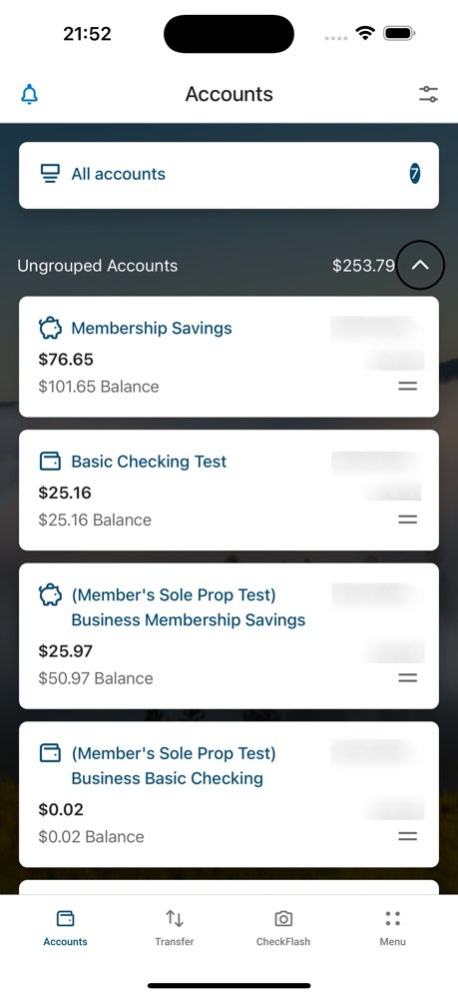
Coast Central Credit Union’s Mobile Banking uses updated, secure technology to give you instant access to your checking, savings, and loan accounts, wherever you are. - Log in with Touch or Face ID - Check balances -...
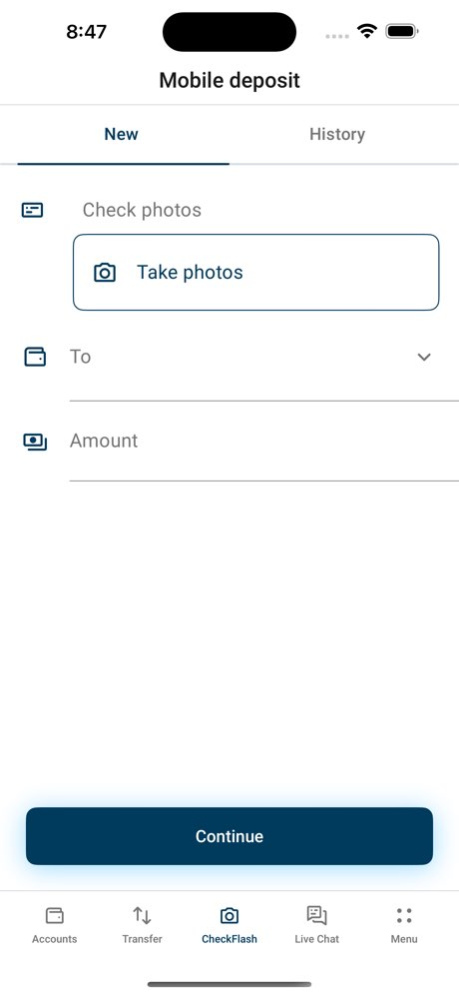
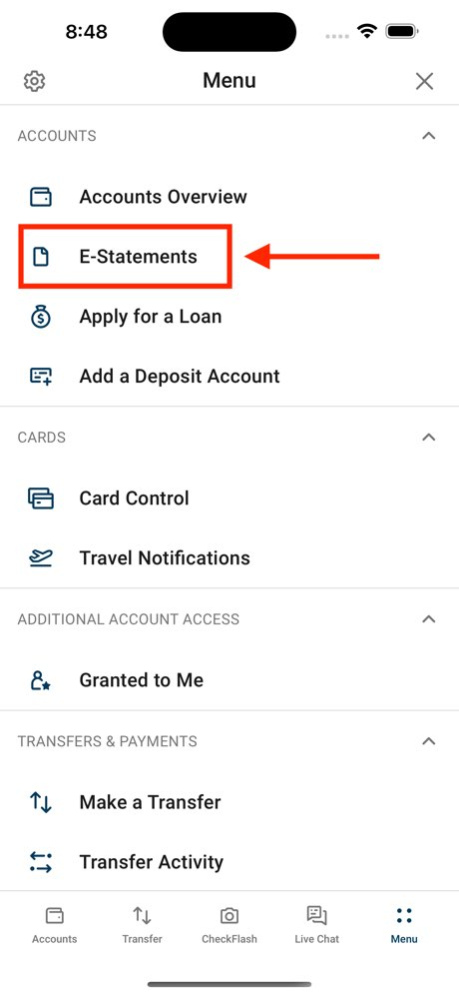
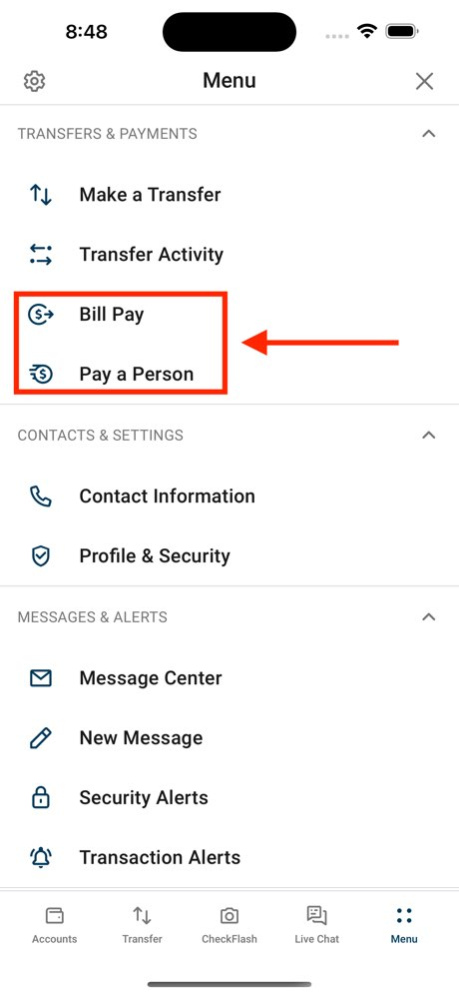
Coast Central Credit Union’s Mobile Banking uses updated, secure technology to give you instant access to your checking, savings, and loan accounts, wherever you are. - Log in with Touch or Face ID - Check balances - Transfer money between internal and external accounts - View statements - Pay bills and deposit checks - Make person-to-person payments - Set up balance and activity alerts - Set travel notifications - Use secure messaging for support - Find your nearest CCCU ATMs and locations - And more! Contact CCCU Member Support at (707) 445-8801 or via Chat at coastccu.org.
Version History -PayKeys allow member to member transfers without sharing your real account number. -Filter transaction history by dollar amount range -Passkey users will be immediately logged into the app -Passkey creation will require a security code -Processed ACH transfers now appear in Transfer Activity -Improved performance and bug fixes 5.17.137 Aug 26 -New Color-coded labels on accounts by type -Budgeting tools enhanced with monthly streak tracking -Enhanced transaction filters in history -Improved support for tablet devices in landscape -Fix for E-statement download block -Improved performance and bug fixes 5.16.113 May 5 -Try our new Automated Transfer Assistant! -Duplicate external transfers display a warning -You can now elect to receive a One Time Pin with every single login -Business Banking transfers have received UI enhancements -Improved performance and bug fixes 5.15.98 Mar 5 - Spending Reports: new Savings Streak & Budget Management - Recurring “Help Me Save” transfers - "All Accounts" balance display improvements - Account Alerts enhancements & new alert categories -Improved performance and bug fixes 5.14.93 12/10/2025 • Welcome to our new refreshed brand! • Security enhancements: • Choose passwordless with Passkey-Only login • Passkey login required for “Pay a Person” • New Savings Certificate Manager • UI Improvements • Transaction Categories now toggleable • Account Forecasting, including Weekly Spending Report 5.13.98 09/10/2025 • Passkey support for both desktop and mobile • "Search" feature available across all accounts • Improved transaction category options • Exact transaction dates shown in history (no more “Today” or “Yesterday”) • Excel exports now support attachable images, such as itemized receipts • Address change validation for added accuracy • Additional security enhancements, including: • Member self-service account lock on OTP messages • In-app passkey management • Secure screen masking when switching between apps 5.12.85 06/04/2025 • Change username without deleting and reenrolling • Categorize transactions to track spending habits • Quicker sign-off process • Manage multiple users • Business members can use prenotifications for NACHA imports • Improved performance and bug fixes 5.11.99 02/27/2025 Bug fixes and performance improvements 5.10.1040 12/16/2024 • Investment Options added: EasyVest Robo & YourChoice Solutions • Logout Button on Desktop now labeled for visibility • Business Members can now add Addendums & Reference IDs for ACH Recipients • Business Members can now utilize Card Control for card management • Ability to edit Wire Contact info – no need to delete/recreate wires when changes occur to recipients • Bug fixes and performance improvements 5.10.104 11/21/2024 Bug fixes and performance improvements 5.9.73 08/20/2024 5.7.1072 03/05/2024
Previous Versions
Here you can find the changelog of Coast Central Mobile Banking since it was posted on our website on 2025-09-15 17:38:06.
The latest version is 5.17.137 and it was updated on 2026-10-07 10:44:07. See below the changes in each version.
Coast Central Mobile Banking version 5.17.137
Updated At: 2026-10-06
Changes: Version History -PayKeys allow member to member transfers without sharing your real account number.
-Filter transaction history by dollar amount range
-Passkey users will be immediately logged into the app
-Passkey creation will require a security code
-Processed ACH transfers now appear in Transfer Activity
-Improved performance and bug fixes 5.17.137 Aug 26 -New Color-coded labels on accounts by type
-Budgeting tools enhanced with monthly streak tracking
-Enhanced transaction filters in history
-Improved support for tablet devices in landscape
-Fix for E-statement download block
-Improved performance and bug fixes 5.16.113 May 5 -Try our new Automated Transfer Assistant!
-Duplicate external transfers display a warning
-You can now elect to receive a One Time Pin with every single login
-Business Banking transfers have received UI enhancements
-Improved performance and bug fixes 5.15.98 Mar 5 - Spending Reports: new Savings Streak & Budget Management
- Recurring “Help Me Save” transfers
- "All Accounts" balance display improvements
- Account Alerts enhancements & new alert categories
-Improved performance and bug fixes 5.14.93 12/10/2025 • Welcome to our new refreshed brand!
• Security enhancements:
• Choose passwordless with Passkey-Only login
• Passkey login required for “Pay a Person”
• New Savings Certificate Manager
• UI Improvements
• Transaction Categories now toggleable
• Account Forecasting, including Weekly Spending Report 5.13.98 09/10/2025 • Passkey support for both desktop and mobile
• "Search" feature available across all accounts
• Improved transaction category options
• Exact transaction dates shown in history (no more “Today” or “Yesterday”)
• Excel exports now support attachable images, such as itemized receipts
• Address change validation for added accuracy
• Additional security enhancements, including:
• Member self-service account lock on OTP messages
• In-app passkey management
• Secure screen masking when switching between apps 5.12.85 06/04/2025 • Change username without deleting and reenrolling
• Categorize transactions to track spending habits
• Quicker sign-off process
• Manage multiple users
• Business members can use prenotifications for NACHA imports
• Improved performance and bug fixes 5.11.99 02/27/2025 Bug fixes and performance improvements 5.10.1040 12/16/2024 • Investment Options added: EasyVest Robo & YourChoice Solutions
• Logout Button on Desktop now labeled for visibility
• Business Members can now add Addendums & Reference IDs for ACH Recipients
• Business Members can now utilize Card Control for card management
• Ability to edit Wire Contact info – no need to delete/recreate wires when changes occur to recipients
• Bug fixes and performance improvements 5.10.104 11/21/2024 Bug fixes and performance improvements 5.9.73 08/20/2024 5.7.1072 03/05/2024
Coast Central Mobile Banking version 5.16.113
Updated At: 2026-08-22
Changes: Version History -New Color-coded labels on accounts by type
-Budgeting tools enhanced with monthly streak tracking
-Enhanced transaction filters in history
-Improved support for tablet devices in landscape
-Fix for E-statement download block
-Improved performance and bug fixes 5.16.113 May 5 -Try our new Automated Transfer Assistant!
-Duplicate external transfers display a warning
-You can now elect to receive a One Time Pin with every single login
-Business Banking transfers have received UI enhancements
-Improved performance and bug fixes 5.15.98 Mar 5 - Spending Reports: new Savings Streak & Budget Management
- Recurring “Help Me Save” transfers
- "All Accounts" balance display improvements
- Account Alerts enhancements & new alert categories
-Improved performance and bug fixes 5.14.93 12/10/2025 • Welcome to our new refreshed brand!
• Security enhancements:
• Choose passwordless with Passkey-Only login
• Passkey login required for “Pay a Person”
• New Savings Certificate Manager
• UI Improvements
• Transaction Categories now toggleable
• Account Forecasting, including Weekly Spending Report 5.13.98 09/10/2025 • Passkey support for both desktop and mobile
• "Search" feature available across all accounts
• Improved transaction category options
• Exact transaction dates shown in history (no more “Today” or “Yesterday”)
• Excel exports now support attachable images, such as itemized receipts
• Address change validation for added accuracy
• Additional security enhancements, including:
• Member self-service account lock on OTP messages
• In-app passkey management
• Secure screen masking when switching between apps 5.12.85 06/04/2025 • Change username without deleting and reenrolling
• Categorize transactions to track spending habits
• Quicker sign-off process
• Manage multiple users
• Business members can use prenotifications for NACHA imports
• Improved performance and bug fixes 5.11.99 02/27/2025 Bug fixes and performance improvements 5.10.1040 12/16/2024 • Investment Options added: EasyVest Robo & YourChoice Solutions
• Logout Button on Desktop now labeled for visibility
• Business Members can now add Addendums & Reference IDs for ACH Recipients
• Business Members can now utilize Card Control for card management
• Ability to edit Wire Contact info – no need to delete/recreate wires when changes occur to recipients
• Bug fixes and performance improvements 5.10.104 11/21/2024 Bug fixes and performance improvements 5.9.73 08/20/2024 5.7.1072 03/05/2024
Coast Central Mobile Banking version 5.15.98
Updated At: 2026-03-05
Changes: -Try our new Automated Transfer Assistant!
-Duplicate external transfers display a warning
-You can now elect to receive a One Time Pin with every single login
-Business Banking transfers have received UI enhancements
-Improved performance and bug fixes
Coast Central Mobile Banking version 5.14.93
Updated At: 2025-12-10
Changes: - Spending Reports: new Savings Streak & Budget Management
- Recurring “Help Me Save” transfers
- "All Accounts" balance display improvements
- Account Alerts enhancements & new alert categories
-Improved performance and bug fixes
Coast Central Mobile Banking version 5.13.98
Updated At: 2025-09-10
Changes: Sep 10, 2025
Version 5.13.98
• Welcome to our new refreshed brand!
• Security enhancements:
• Choose passwordless with Passkey-Only login
• Passkey login required for “Pay a Person”
• New Savings Certificate Manager
• UI Improvements
• Transaction Categories now toggleable
• Account Forecasting, including Weekly Spending Report
Coast Central Mobile Banking version 5.12.85
Updated At: 2025-06-04
Changes: Jun 4, 2025
Version 5.12.85
• Passkey support for both desktop and mobile
• "Search" feature available across all accounts
• Improved transaction category options
• Exact transaction dates shown in history (no more “Today” or “Yesterday”)
• Excel exports now support attachable images, such as itemized receipts
• Address change validation for added accuracy
• Additional security enhancements, including:
• Member self-service account lock on OTP messages
• In-app passkey management
• Secure screen masking when switching between apps
Disclaimer
Official App Store Link
We do not host Coast Central Mobile Banking on our servers. We did not scan it for viruses, adware, spyware or other type of malware. This app is hosted by Apple and passed their terms and conditions to be listed there. We recommend caution when installing it.
The App Store link for Coast Central Mobile Banking is provided to you by apps112.com without any warranties, representations or guarantees of any kind, so access it at your own risk.
If you have questions regarding this particular app contact the publisher directly. For questions about the functionalities of apps112.com contact us.